RoadPhone Studio
Loading price
Where your city buys its phones.
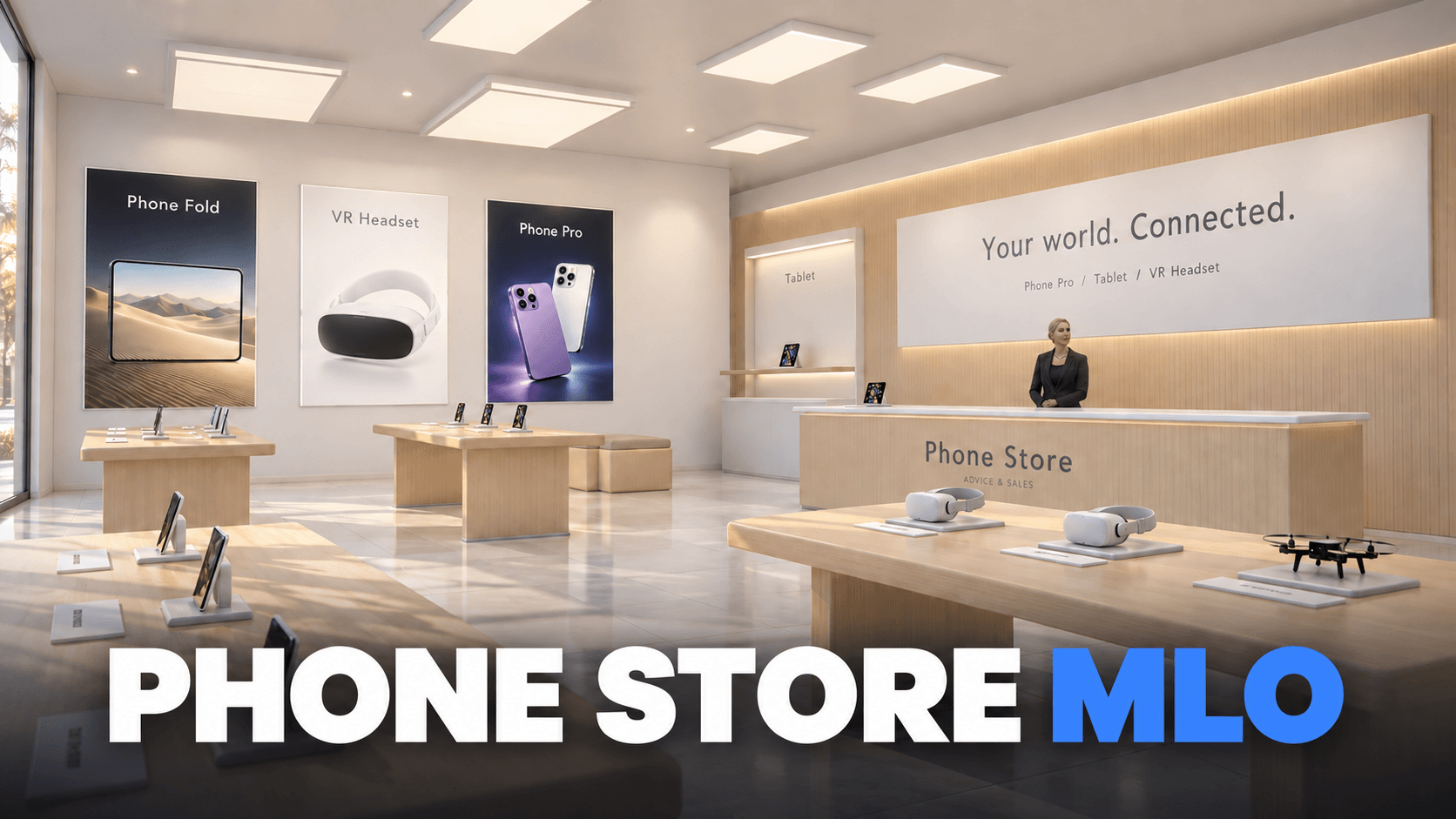
A bright electronics store with a glass frontage, oak display tables, product advertising and a seller at the counter. Players walk in, pick a device and buy it in game.
Loading price
Phones on display. Phones stand upright on the oak tables, each with its own display card, while the seller waits at the counter.
The Fold, open. The Fold has its own table and stands open on its display, so players see the big screen before they buy.
Tablets. Tablets with lit Home Screens on their own table, with a card for every device.
Purchase menu · English or German
Press E at the counter to open the menu. Choose a device and a colour, check the price and buy: the item goes straight into the inventory.
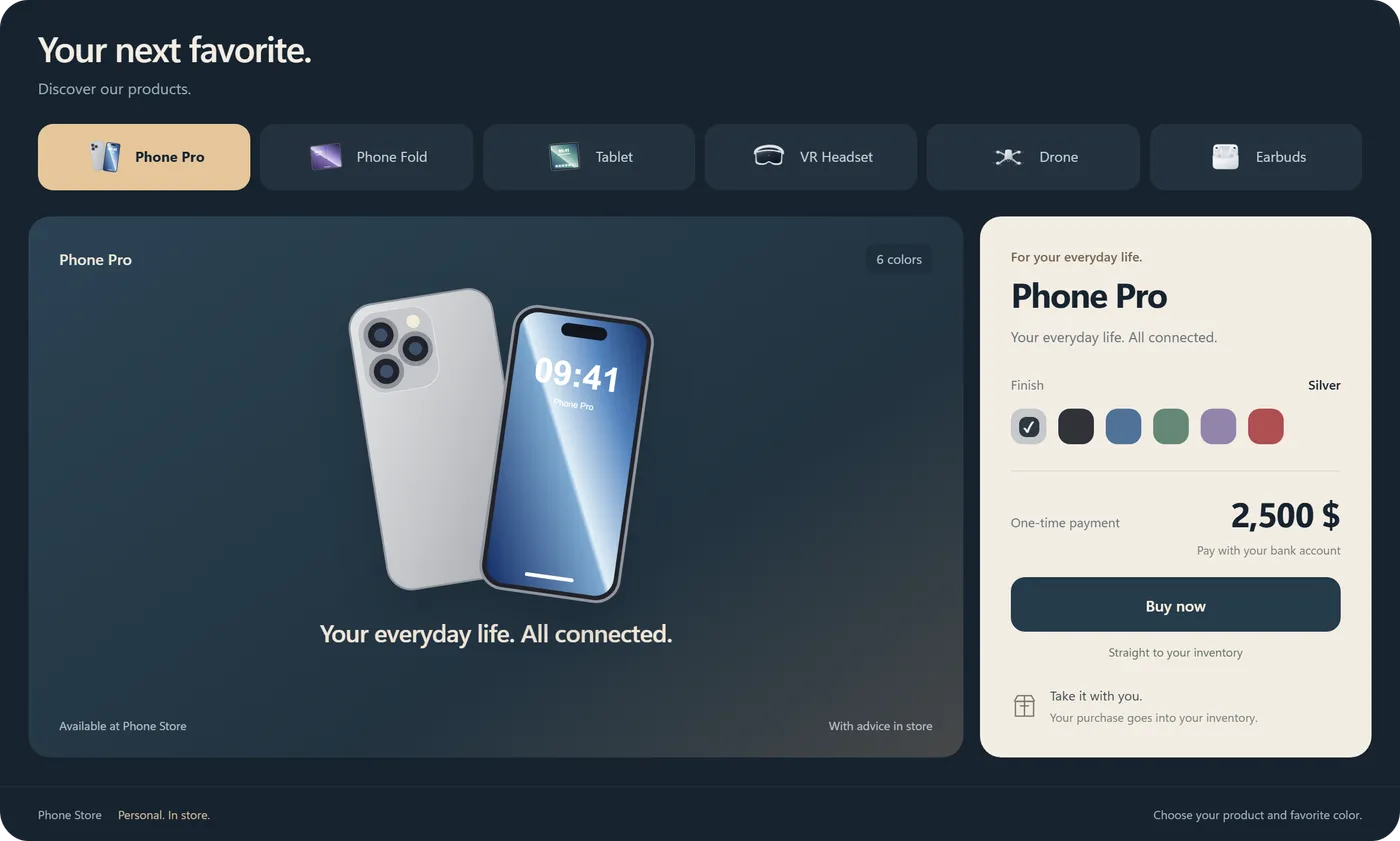
The server uses only your catalog. It checks the distance to the counter, the item, the space in the inventory and the balance before it charges, and refunds a purchase it cannot deliver.
Price, inventory item and texts for every product in config.lua. Players pay from their bank account or in cash.
Neutral "Phone Store" signs and product names by default. One setting switches to RoadShop branding.
The menu, purchase messages, product texts, colour names, the counter, the hero wall, display cards and advertising slogans.
Every product is on display. It can be bought while its inventory item exists and its resource is started.
Scaffolding, a skip, road cones and a dirt pile in front of the store are hidden while it runs and come back when it stops.
Frameworks
With OneSync and ox_lib. Framework and inventory are detected automatically.
Inventories
ox_inventory, qb-inventory, tgiann-inventory, jaksam_inventory, codem-inventory, core_inventory, one_inventory or your framework's own.
Devices
RoadPhone for the phones and the Fold, RoadPad, RoadVR, and RoadBuds together with RoadPhone.
Map
The store replaces the original building at its location and ships its own occlusion maps. Other resources that stream the same files conflict with it.
A new place to connect in your city
Bring a dedicated electronics store to your server with the Phone Store MLO – a modern showroom with device displays, a sales counter and an included in-game purchase menu.
Give your players a place to browse devices and make their next purchase. From the showroom floor to the checkout, the store brings everyday shopping into your roleplay world.
Phone displays · Foldables · Tablets · VR headsets
English & German – Configurable Throughout
Switch all text inside the store between English and German through the config.
The purchase menu supports the same two languages and can also be switched through the config.
A bright showroom with light wood finishes and dedicated display tables
Displays for phones, foldables, tablets and VR headsets
Product posters, wall displays and a sales counter
A dedicated setting for your server's electronics shopping experience
From browsing to checkout
Browse devices through the in-game purchase menu
Choose a device and its available colour
Make the purchase directly in-game
The MLO and purchase menu are included together
English and German for every text in the store
English and German for the purchase menu
Language selection through the config
Match the shopping experience to your community
What's Included
Phone Store MLO
In-game purchase menu
Config-based English and German language selection for the store and purchase menu
See the Store in Action
Take a look around the showroom and see the included purchase menu in the trailer.
It is delivered right away to the Cfx.re account you sign in with. Download it any time from the Cfx.re Portal.
FiveM resources belong to a Cfx.re account, so you sign in before the first item goes into your basket. Use the account that owns your server's license key.
Transfer it in the Cfx.re Portal to the right account. A transfer cannot be undone, so check the username first.
Yes, for most products: press the gift button next to the buy button and enter the recipient's Cfx.re username.
Checkout is operated by Tebex Limited, the merchant of record, who handles product fulfilment, billing support and refunds.
Taxes are calculated at checkout.
Join our Discord and tell us what is going wrong. Our team helps you there. Join our Discord
Loading your basket…