RoadGarage
Loading price
Your world. Your way.
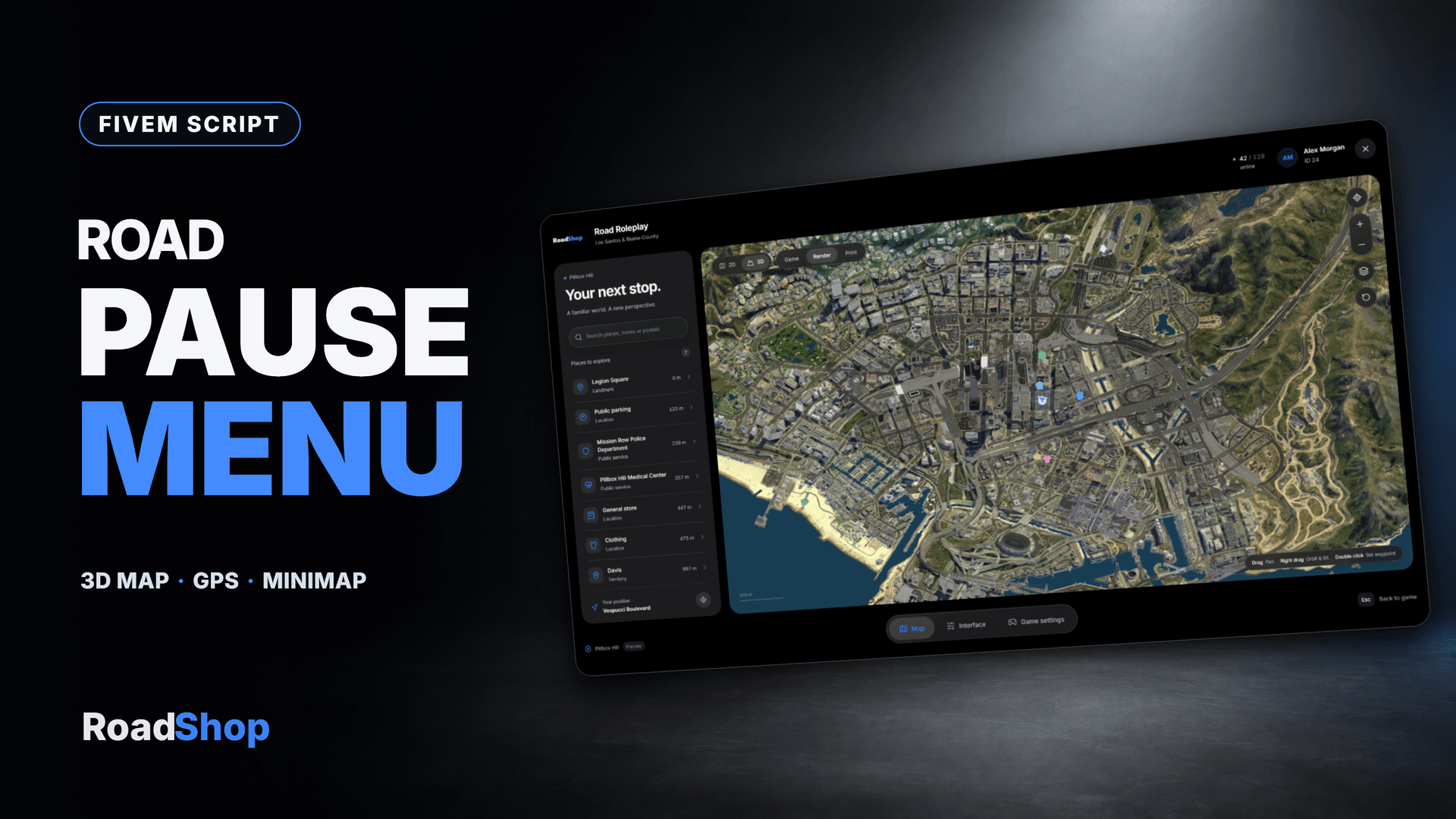
Bring your world map, navigation and player preferences together in one customizable interface. Explore in 2D or 3D, find your next destination and shape the minimap around the way you play.
Loading price
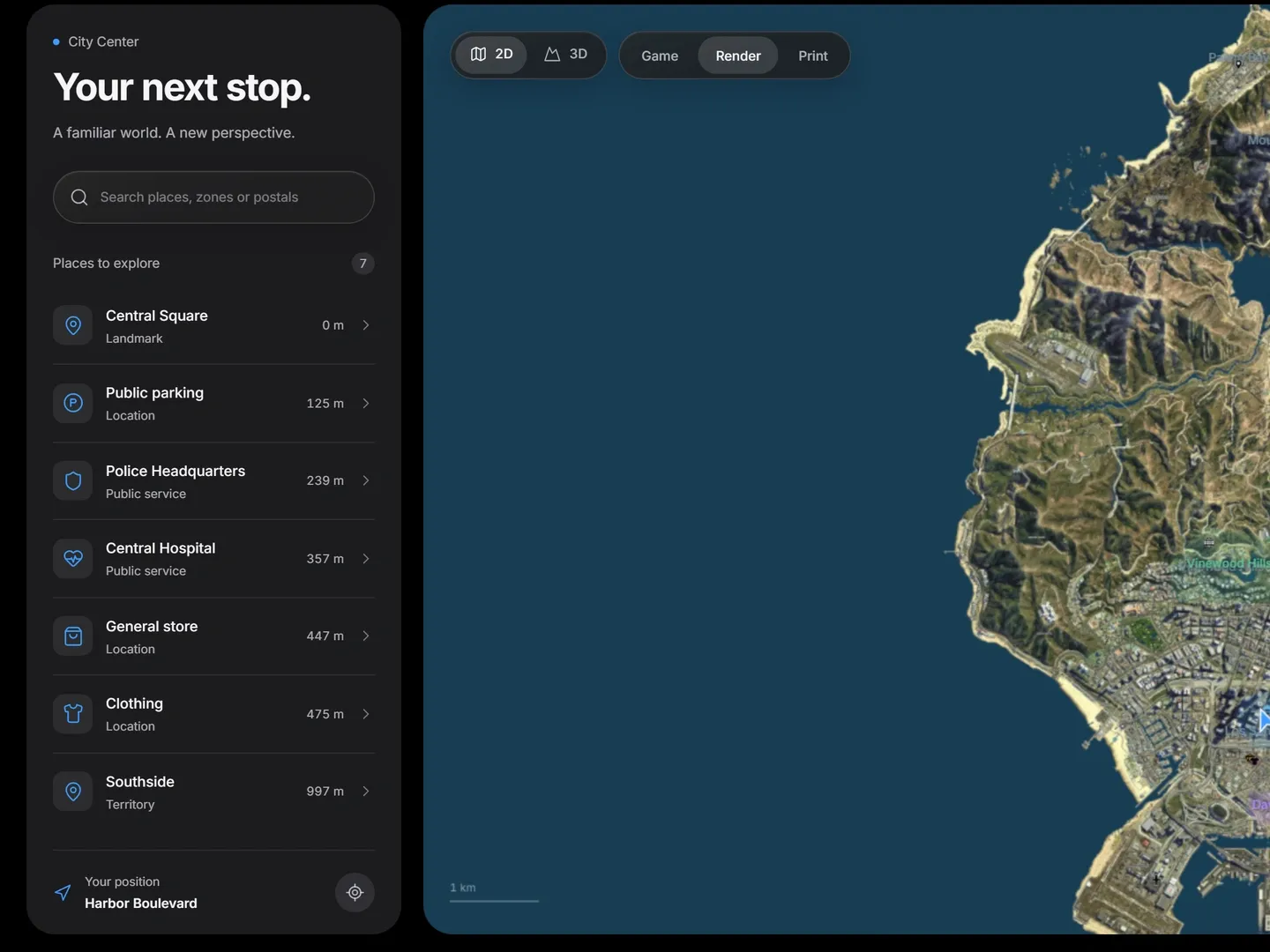
Search. Places, territories, map icons and postal codes in one search field, each with its distance from you.
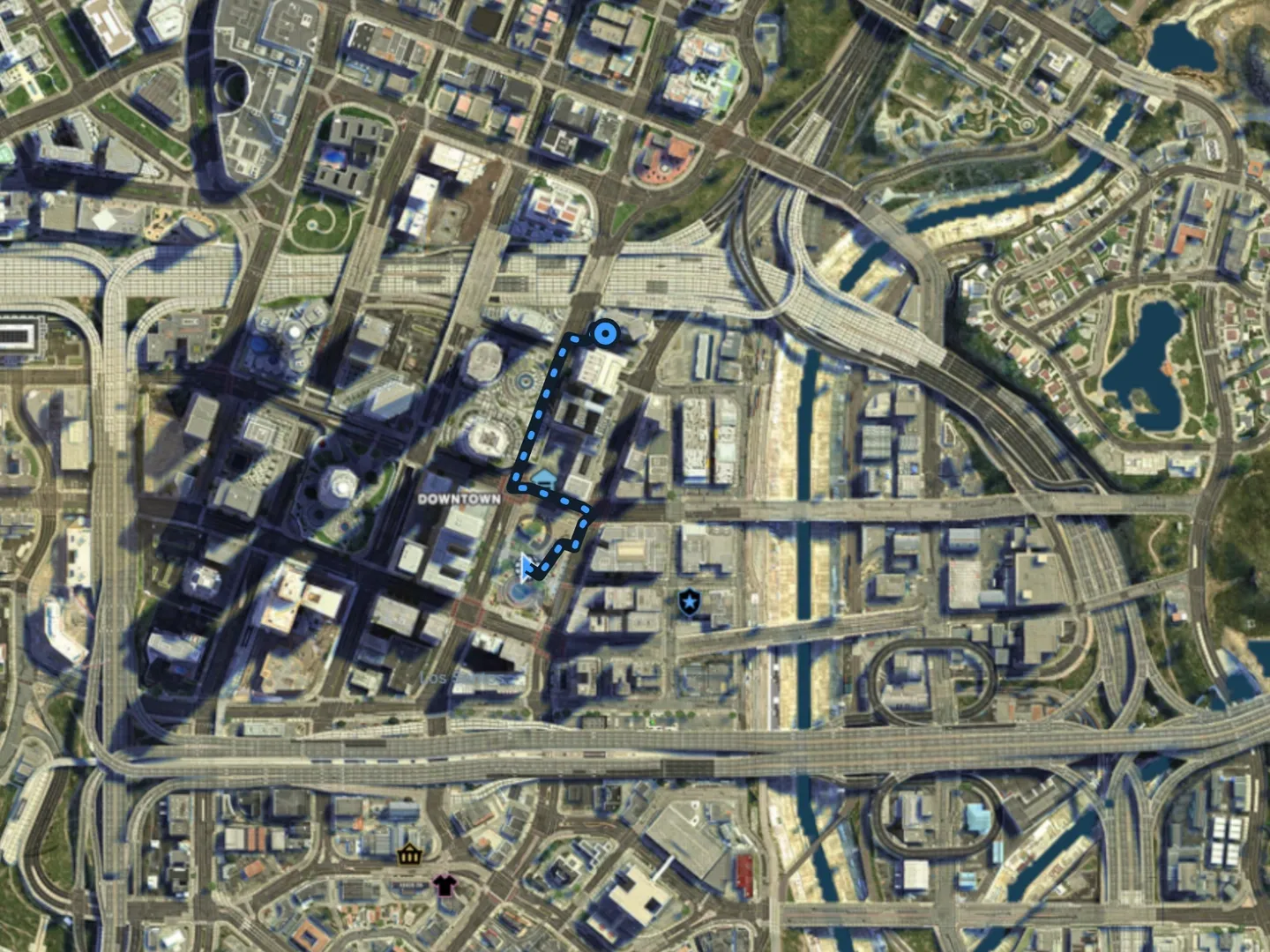
GPS routes. Set a waypoint and follow an animated route on foot or by car. Boats and aircraft get a direct route.
2D and 3D. Switch between a flat map and a 3D world with the game's own buildings and terrain. Pan and zoom, orbit and tilt.
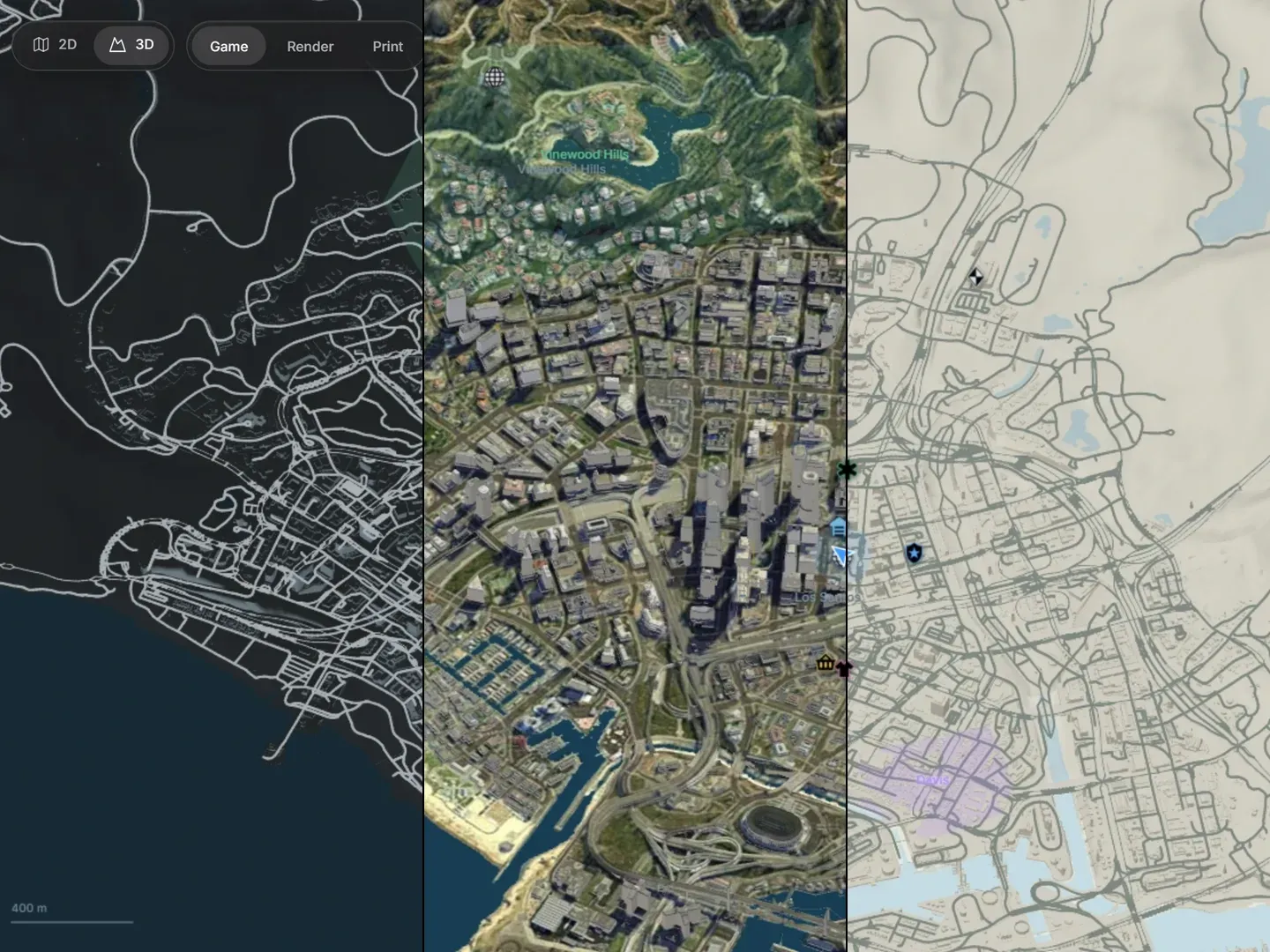
Three map styles. Render is the default. Game and Print are one click away, and every player keeps their own choice.
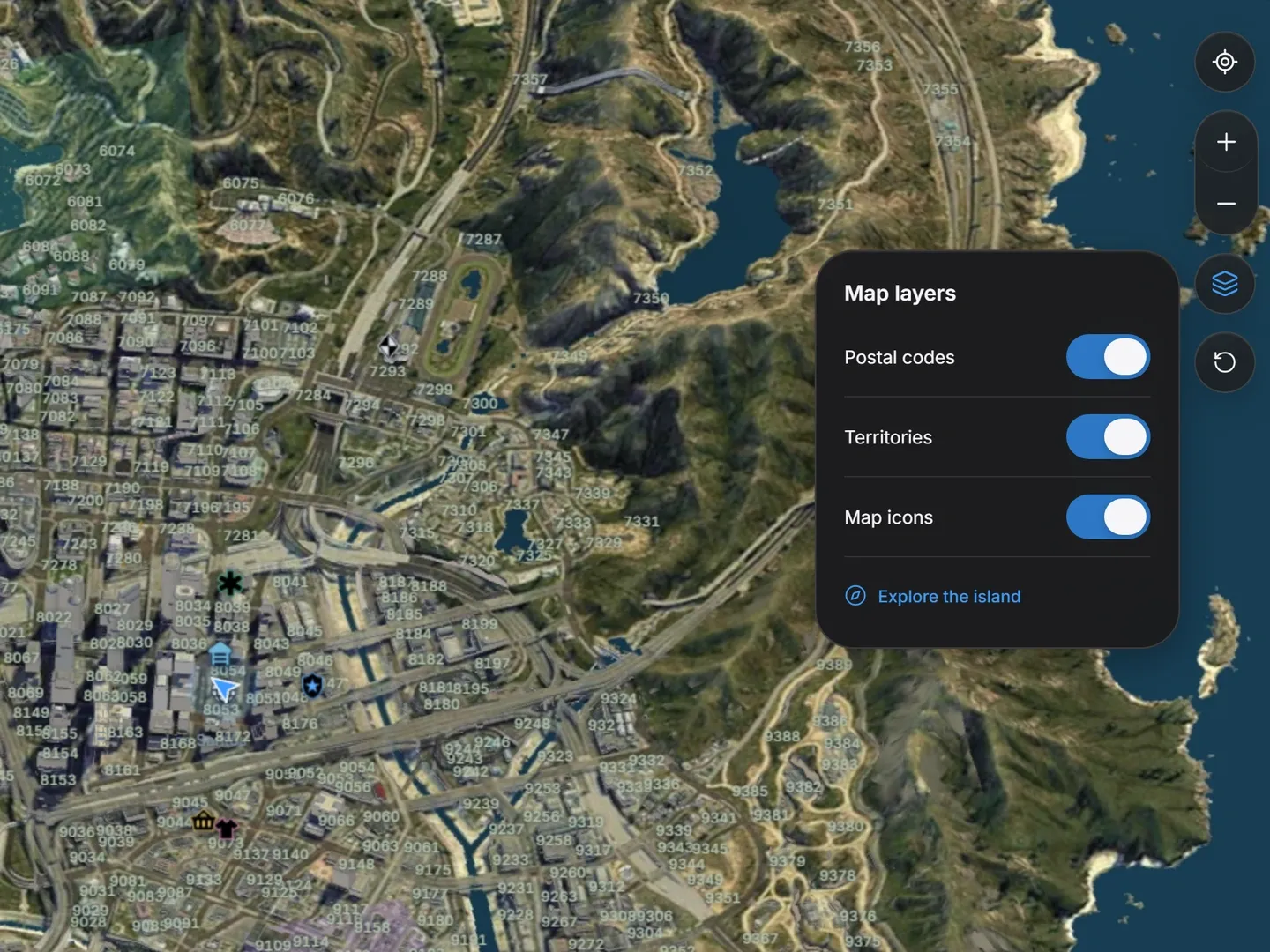
Map layers. Show postal codes, territories and map icons, or hide them for a clean map. The island can be switched off by the server.
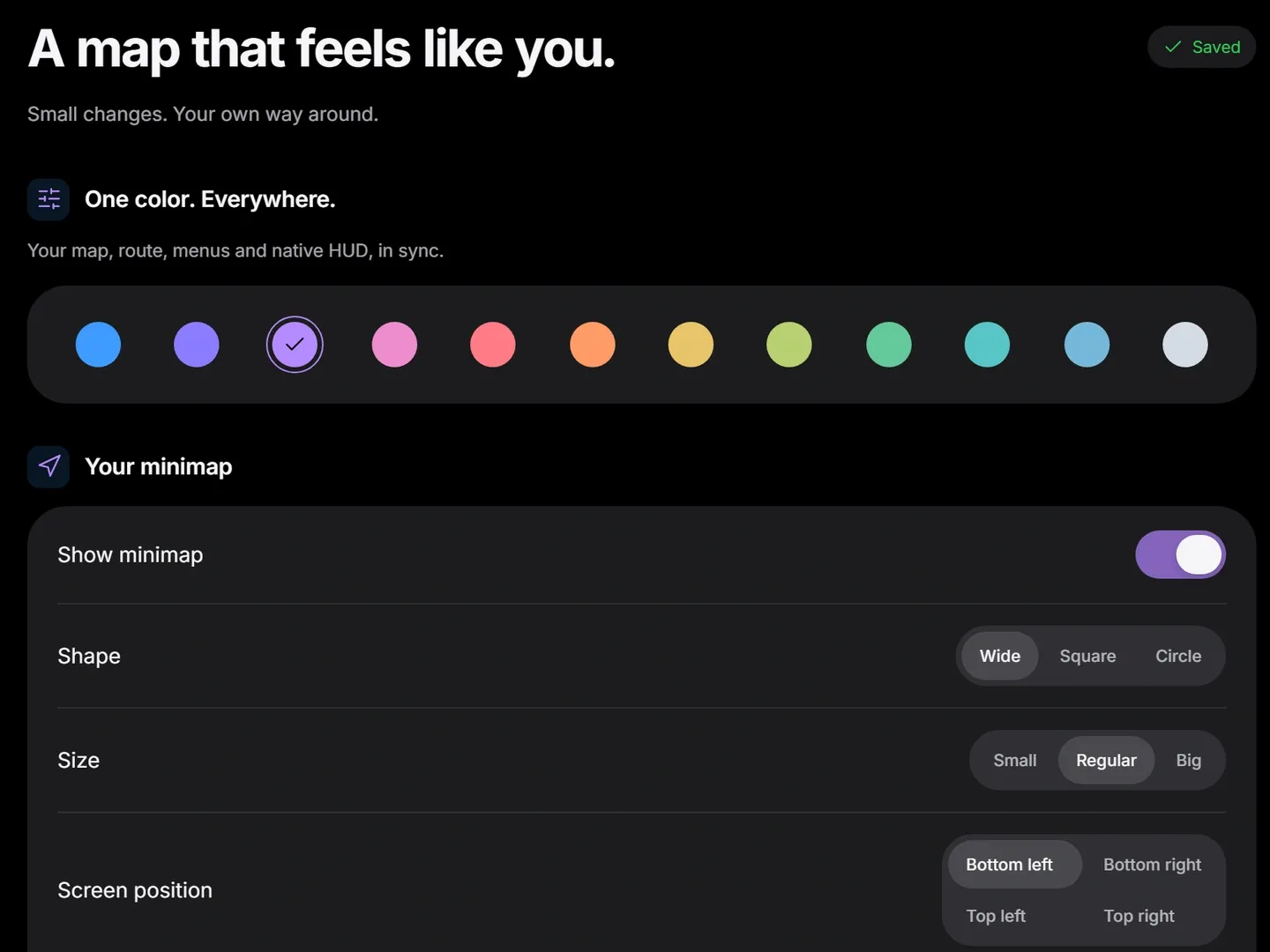
Twelve colors. One theme color for the map, the route, the menus and the game's own HUD, in sync.
Minimap
A live preview shows every change as players make it, and their preferences are saved for the next session.
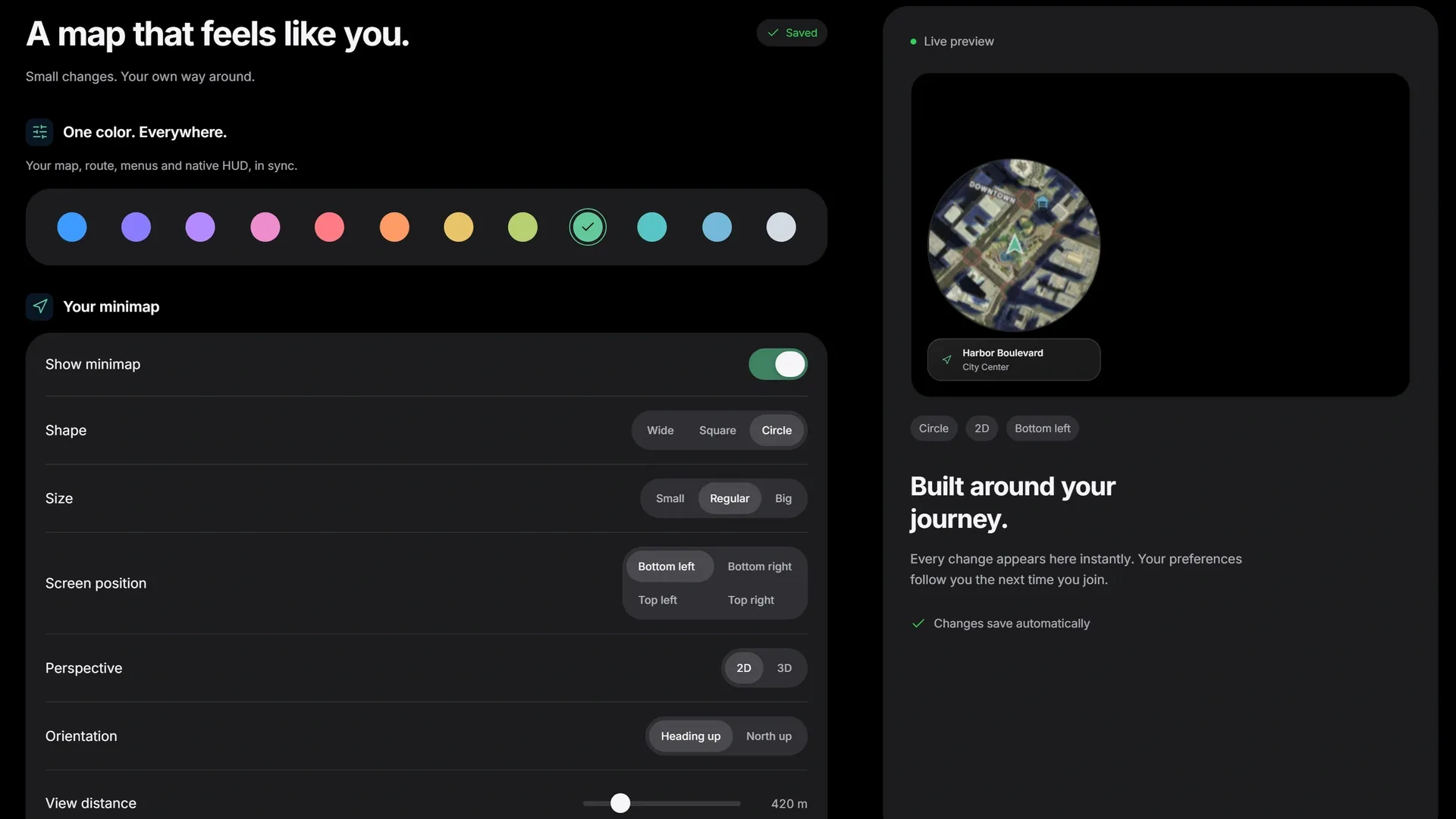
Shape and position
Three sizes in any of the four screen corners.
Perspective
North up or heading up, with an adjustable view distance.
Visibility
Set the opacity, let the minimap zoom out with your speed, or hide it.
Preferences
English or German, reduced motion and a reset to the defaults.
Your server name, subtitle and logo at the top of the menu.
Each player sees their name, ID and headshot, next to the live player count.
Configure searchable places and territory polygons, or register them from your own scripts through exports.
The included integration helper brings the game's blips into the map and its search.
Replace the pause menu, or keep the native one and open the map with F10 or /roadmap.
One button opens the game's own settings for graphics, sound and controls.
Frameworks
Through the included RoadShop Bridge. No SQL installation.
Map data
Buildings, textures and map images are not part of the download. Your server fetches them once from RoadShop's map service and passes them to your players.
Languages
Each player picks the language in their preferences.
Controls
Escape opens the menu, F10 or /roadmap the map. Players can rebind the map key.
World map · GPS · Minimap
Your world. Your way.
Bring your world map, navigation and player preferences together in one customizable FiveM interface. Explore in 2D or 3D, find your next destination and shape the minimap around the way you play.
| 2D + 3DExplore your world | 3 stylesRender, Game and Print | 12 colorsOne accent across the interface |
Search server locations, territories, map icons and the bundled postal catalog. Select a destination, set a waypoint and keep the route and distance in view.
Move between a flat map and a native 3D world with building meshes and terrain. Pan and zoom, orbit and tilt the 3D view, recenter on your player or return to the full map.
A live preview shows the changes as players make them. Their preferences are saved locally for the next session.
| Shape and positionWide, square or circular minimap; three sizes; four screen corners. | Perspective and orientation2D or 3D minimap, north-up or heading orientation, and adjustable view distance. |
| Color and visibilityTwelve accent colors, opacity controls, speed-based zoom and a minimap visibility toggle. | Personal preferencesEnglish and German, reduced interface motion, saved settings and a reset option. |
| Frameworks | ESX, QBCore, Qbox and standalone |
| Languages | English and German |
| Database | No additional SQL installation required |
| Map hosting | A public HTTPS map-asset endpoint is required. The large map-data package is supplied separately from the FiveM resource and served through the RoadPhone map API. Follow the included hosting guide before installation. |
| Player access | Escape when pause-menu replacement is enabled; F10 or /roadmap for the map. The map key can be rebound. |
Customize the interface for your community and let every player choose their own view of the world.
Promotional background generated with AI. The interface shown is captured from the actual resource.
It is delivered right away to the Cfx.re account you sign in with. Download it any time from the Cfx.re Portal.
FiveM resources belong to a Cfx.re account, so you sign in before the first item goes into your basket. Use the account that owns your server's license key.
Transfer it in the Cfx.re Portal to the right account. A transfer cannot be undone, so check the username first.
Yes, for most products: press the gift button next to the buy button and enter the recipient's Cfx.re username.
Checkout is operated by Tebex Limited, the merchant of record, who handles product fulfilment, billing support and refunds.
Taxes are calculated at checkout.
Join our Discord and tell us what is going wrong. Our team helps you there. Join our Discord
Loading your basket…