RoadCarRadio
A real car screen, in every car on your server.
Ten apps on a screen you drag, resize and shape to the car. A rear camera that opens by itself, music the whole street can hear and a wallpaper each plate keeps.
Loading price
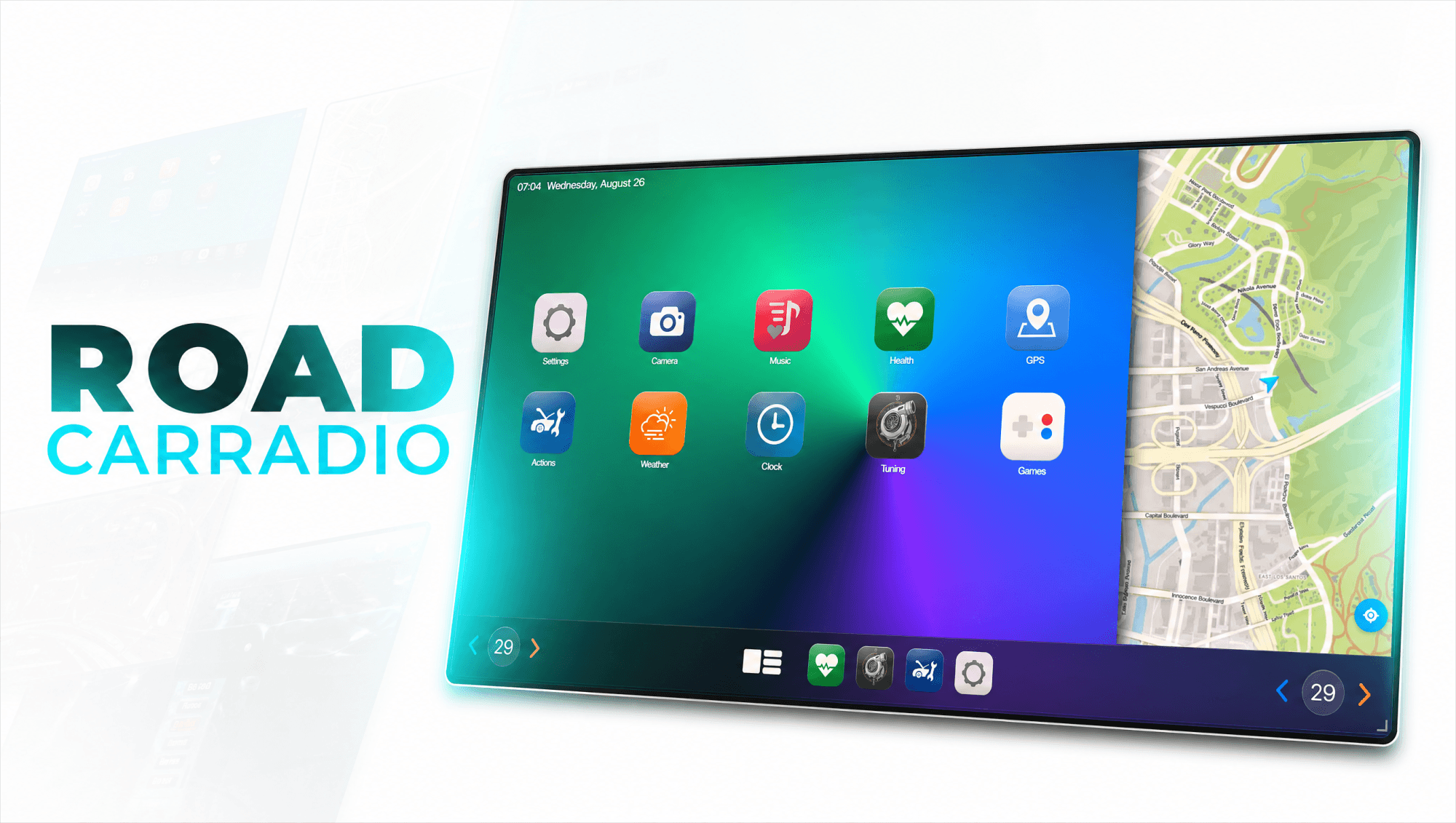
Get the highlights.
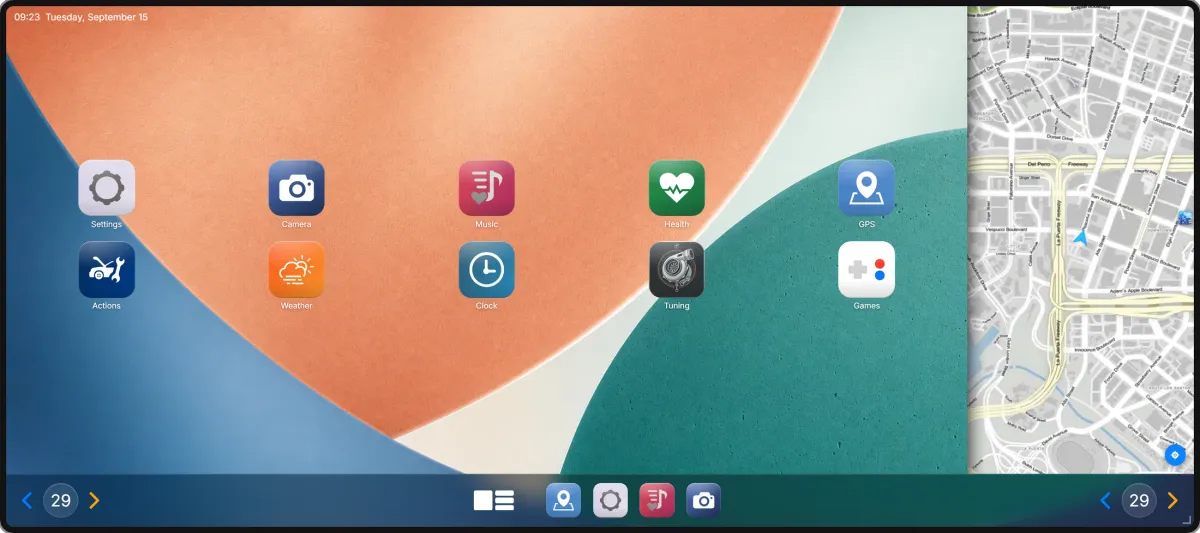
One screen, five shapes. Drag it by the top edge, pull the corner to resize, or pick a preset. Once the screen is wide enough, the live map moves in beside the apps.
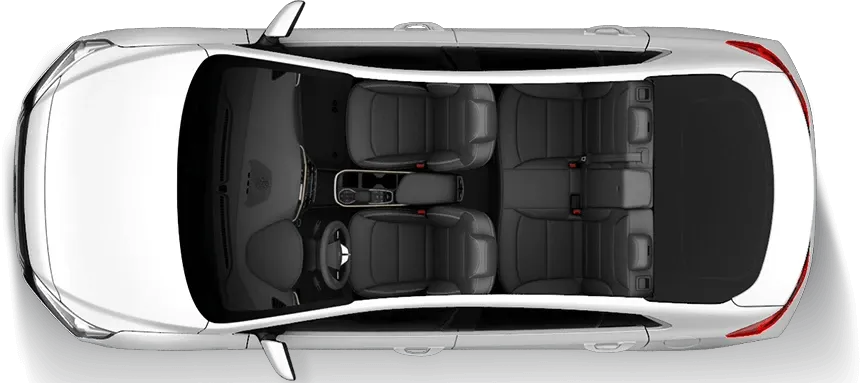
Reverse. The camera is already there.. Keep reversing for 1.2 seconds and the rear camera opens by itself. The parking sensor shows the distance and beeps faster the closer you get.
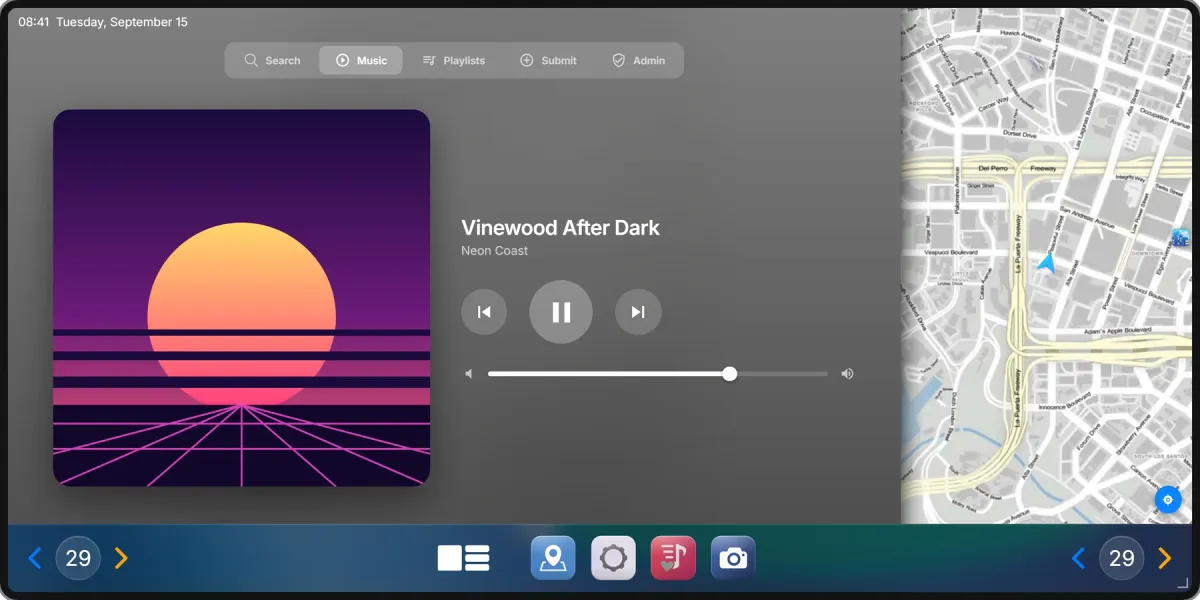
The street hears it too. Music plays from the car itself, for everyone around, and how far it carries depends on what is happening to the car.
Built for your server.
Apps
10
On a screen you size to the car.
Screen shapes
5
Compact, standard, wide, portrait and the driver strip.
Languages
11
Translated out of the box.
Audio
xsound by default, mx-surround supported.
Everything included
RoadCarRadio
The infotainment system for every vehicle on your server
RoadCarRadio puts a full, modern infotainment screen into the car – with a Rear Camera and parking sensor, a music system that everyone around the vehicle can hear, and a wallpaper editor that gives every car its own look.
The screen is freely placeable and resizable – drag it by its edge, pull it to the size you want, or pick one of five presets. Every app follows along, from a slim driver strip to a full wide screen.
Real GTA map tiles · Live vehicle data · Works in every vehicle, no vehicle edits required.
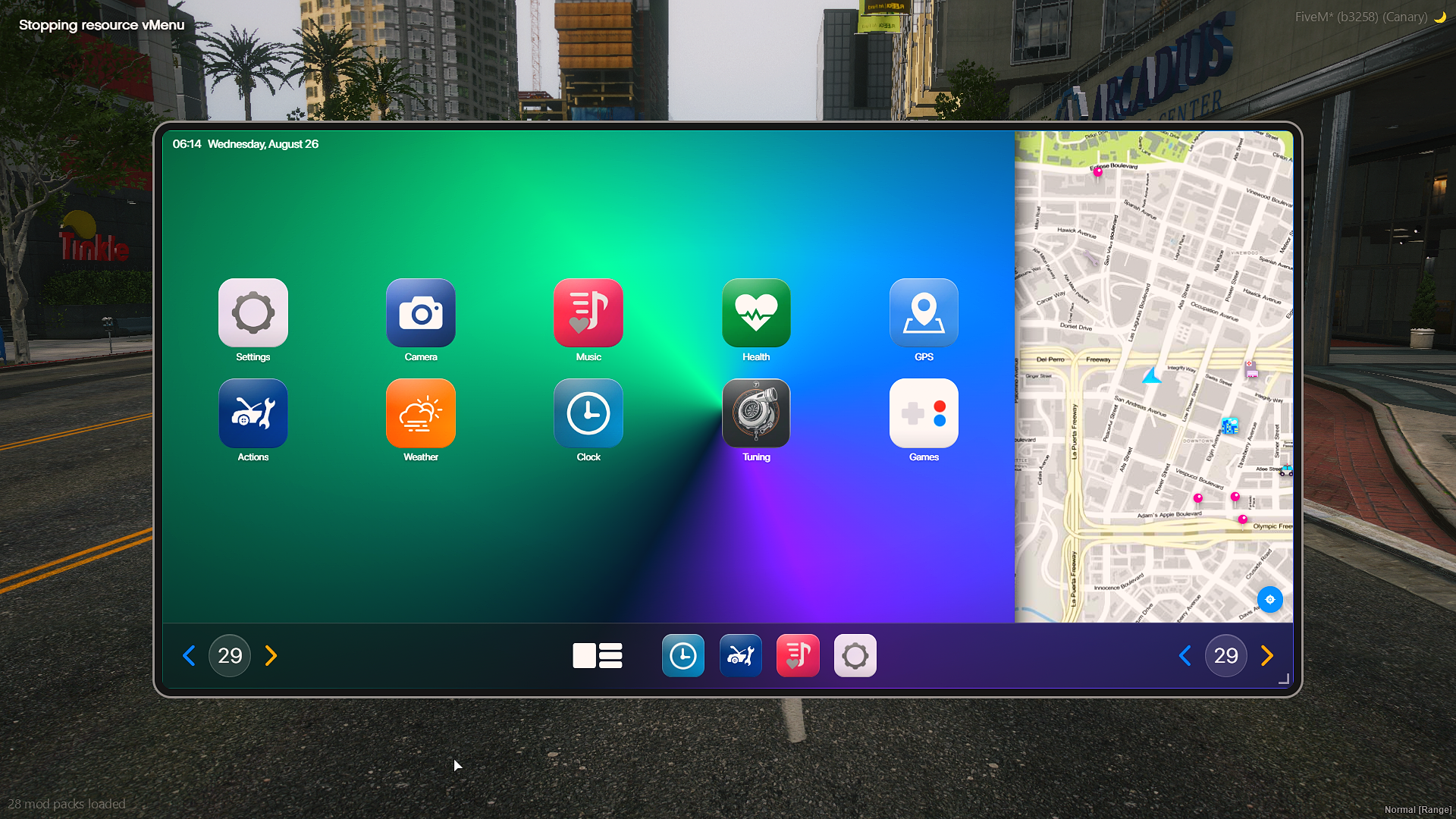
Ten apps, the map panel and a wallpaper you built yourself
Available in 11 Languages
English · German · French · Italian · Spanish · Portuguese (BR) · Dutch · Polish · Czech · Turkish · Hindi
More languages coming soon
No real-world brand names, logos or trademarks are used anywhere in this resource. All app names and icons are placeholders.
You can rename and replace all names and icons after purchase.
Compatible with ESX Legacy, QBCore, Qbox & Standalone
Framework auto-detection included – no extra bridge resource to install
Main Features
Rear Camera & Parking Sensor
The one you actually use every day
Opens by itself on reverse – or on a key, as a toggle or hold-to-view
It waits until you really are reversing, so tapping the brake never flips the view
The lens position is measured from the vehicle model, so it sits right on a hatchback and on an SUV
Guide lines, adjustable field of view, tilt and camera effect
Parking sensor with three measuring beams – poles and wall corners are seen, not missed
Distance readout on screen and a beep that gets faster the closer you get
Configurable zones, range, measuring height and sound set
Music
Audible to nearby players – the range opens up when the windows are broken
Personal playlists with create, edit, share & copy
Song library with search, plus direct links
Submission system: players submit songs, admins approve them in-game
Admin panel for the library – add, review and remove tracks
Bring your own library: point the resource at your own HTTP endpoint instead of the built-in database
Volume and range per vehicle · Streamer mode · xsound & mx-surround supported
GPS & Navigation
Real map tiles, not a screenshot – pan, zoom and set a waypoint
A live map panel sits next to the apps on the wide layouts and follows the car
Save your own places with a name and drive there again later
Configurable server locations (hospitals, police, mechanics & more)
Saved places are shared with RoadPhone – one list for phone and car
Vehicle Controls
Engine · Locks · Doors · Windows · Lights
Headlight colour with 12 presets
Autopilot – drives to your waypoint, with configurable top speed and driving style
Autopilot can be limited to specific vehicles
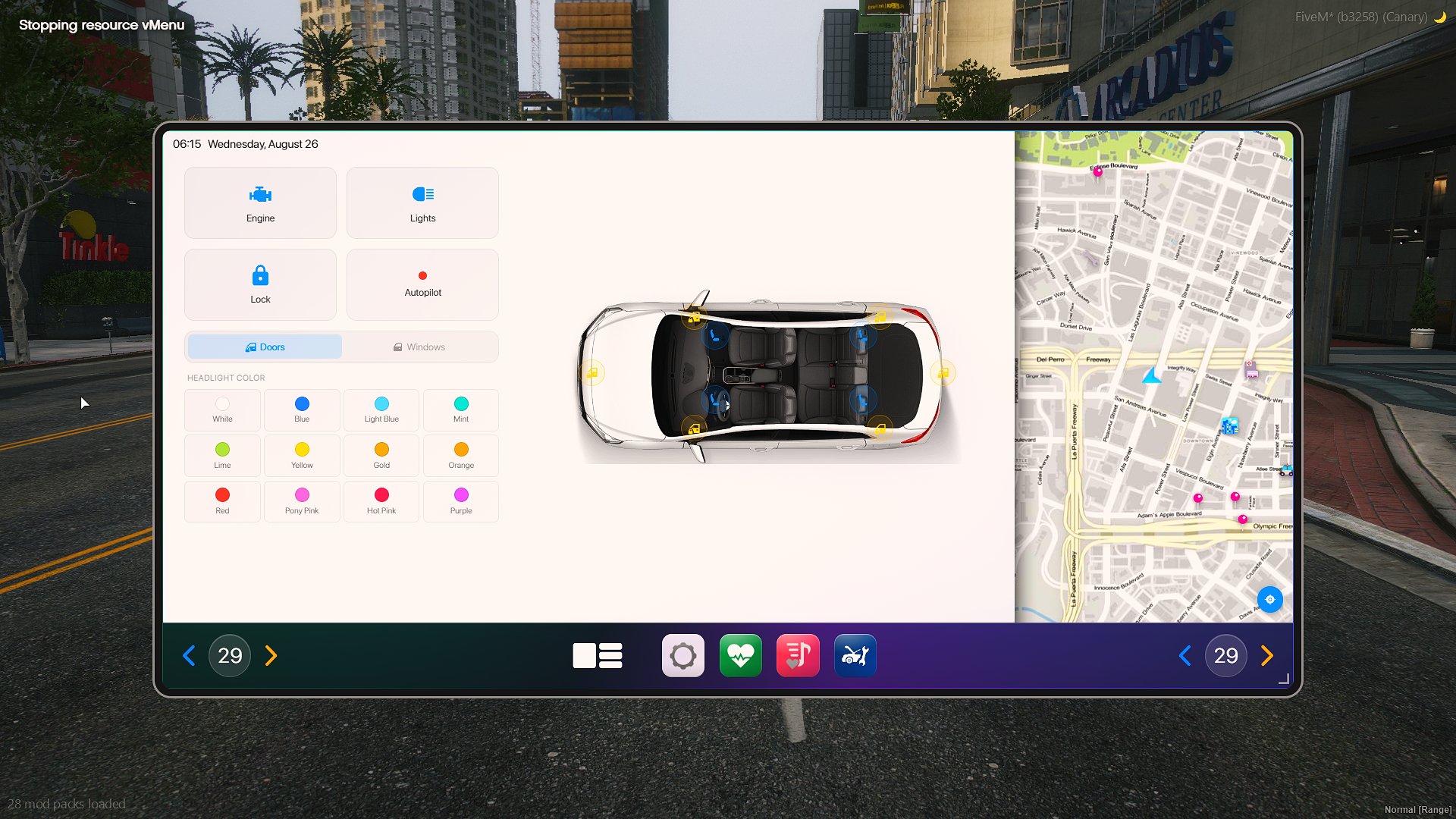
Doors and windows per side, twelve headlight colours, autopilot on the same screen
Vehicle Health
Live gauges for body damage, engine, fuel, temperature and dirt
Plain language instead of raw numbers – everything is fine, needs attention soon, check now
Straight into the vehicle controls from the same screen
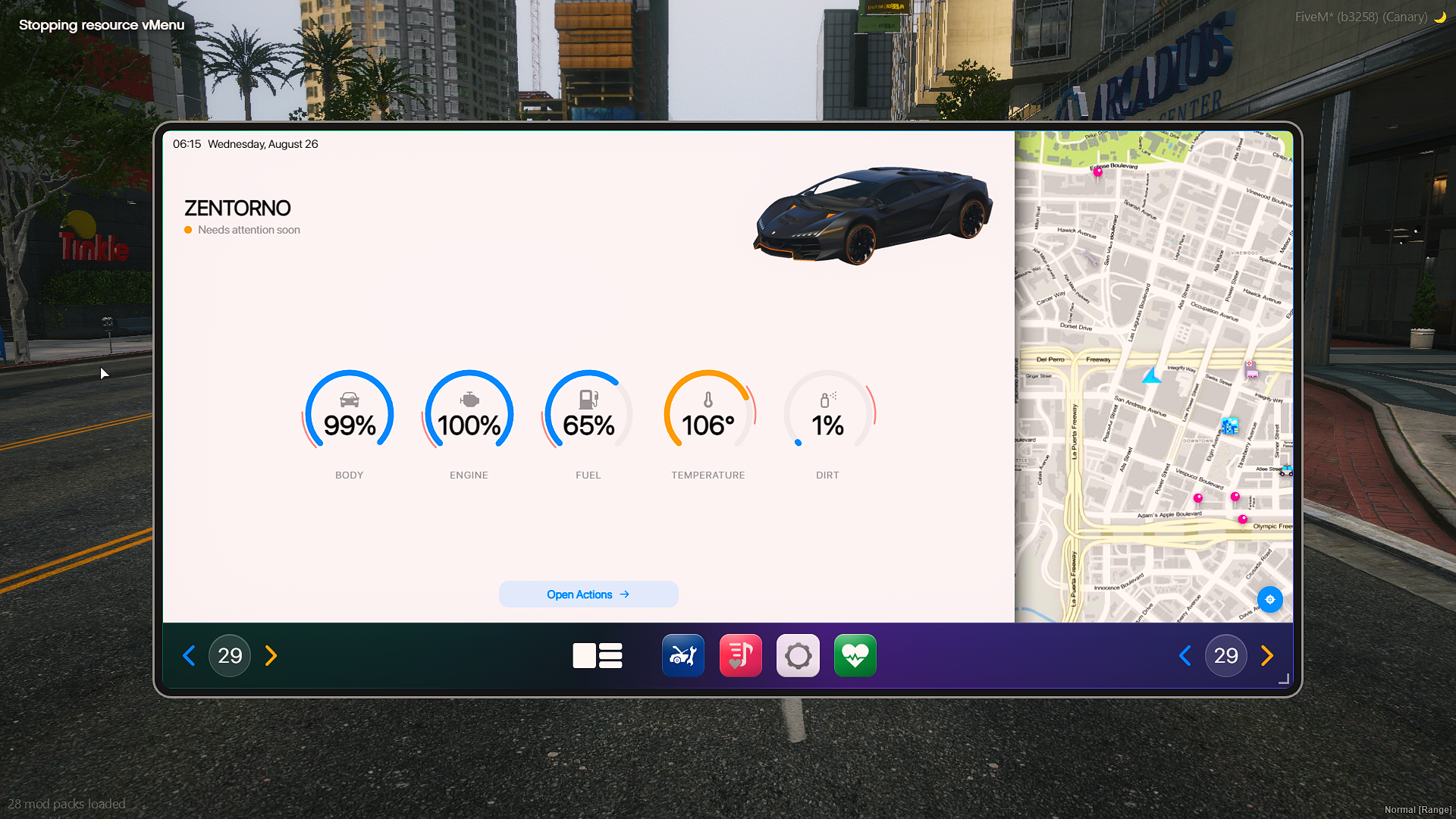
Five gauges and one sentence that says what they mean
Tuning Overview
See what is actually built into the car you are sitting in
Performance – engine, brakes, transmission, suspension, armor & turbo, with levels
Exterior – spoiler, bumpers, side skirts, exhaust, roll cage, grille, hood, roof, fenders, livery
Wheels – wheel type, front and rear wheels, wheel colour, tire smoke
Extras – colours, pearlescent, window tint, xenon lights, horn
Wallpapers & Gradient Editor
Every car gets its own look
Build your own background right in the car – linear, radial or conic
Two to eight colour stops on a draggable bar, with a colour field and a hex box
Angle, film grain and vignette on sliders · ten presets to start from
The editor is the preview: you are looking at the real thing while you build it, not a thumbnail
Saved per licence plate – everyone in the same vehicle sees the change instantly
Prefer an image? Pick the included wallpaper or paste a link to your own
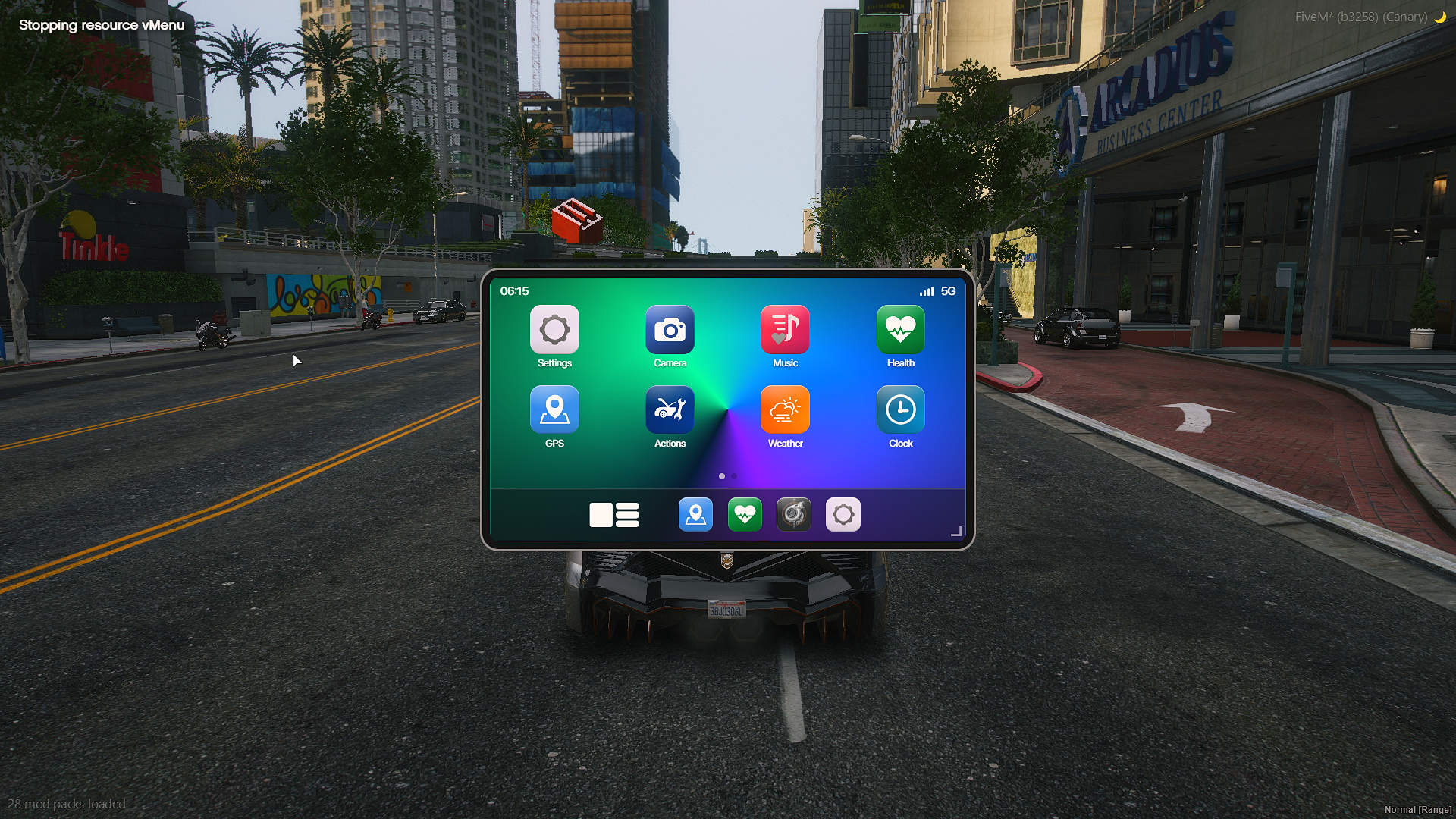
Same resource, smaller screen – drag it anywhere and size it how you like
Everyday Apps
Weather with your own city name, in °C or °F
Clock with stopwatch · 12- and 24-hour format
Camera app for the rear view
Five games for the passenger seat – Snake, Tetris, Memory, Simon and a reaction test, all self-developed
Best scores are kept per game, and every game locks itself once the car moves
Display & Customization
Five display presets: Compact, Standard, Wide, Portrait and a slim Driver strip
Drag the screen by its edge, resize it from the corner – the layout follows along
Every app is built for all of them, down to a screen a quarter of the height
Dark and light mode with matching app icons
App grid, app names and icons fully configurable
Update notice right in the settings when a new version is out
Installation System
Optional Feature
A car radio has to be installed into the vehicle before it works – as an item, with animation
Installation can be locked to mechanics, including job grades
A removal item takes it back out
Installed vehicles are stored per plate and validated on the server – nobody installs on cars they are not standing next to
Or switch the whole thing off and let every vehicle have it
Access & Balance
Driver only, or every occupant – your choice
The screen stops working below a configurable vehicle health, so a wreck stays a wreck
Exports to block and unblock the screen from your own resources
Seat shuffle can be disabled · The game radio can be muted while music plays
Audio Support
xsound (recommended) · mx-surround
Works together with RoadPhone & RoadPad
Saved map points are shared, and the screen steps aside when the phone or tablet is open.
Both are optional – RoadCarRadio runs perfectly on its own.
Preview
Watch the preview videoThis resource is compatible with ESX Legacy, QBCore, Qbox & Standalone
We use CFX.re encryption to protect our products and customers.
Please ensure you are logged into the correct CFX.re account before purchasing.
Basic Lua knowledge recommended. Installation guide + FAQ included.
Documentation available at docs.roadshop.org
Your server build must be above 17000, with OneSync enabled.
Good to know: The installation system is optional – RoadCarRadio is fully usable without it, in every vehicle.
Rear camera and parking sensor work on cars and bikes and can be switched off, or limited to vehicles that have a radio installed.
Questions and answers
How do I get the script after buying?
It is delivered right away to the Cfx.re account you sign in with. Download it any time from the Cfx.re Portal.
Why do I sign in with Cfx.re?
FiveM resources belong to a Cfx.re account, so you sign in before the first item goes into your basket. Use the account that owns your server's license key.
I bought it with the wrong account. What now?
Transfer it in the Cfx.re Portal to the right account. A transfer cannot be undone, so check the username first.
Can I buy it as a gift?
Yes, for most products: press the gift button next to the buy button and enter the recipient's Cfx.re username.
Who handles payment and refunds?
Checkout is operated by Tebex Limited, the merchant of record, who handles product fulfilment, billing support and refunds.
Are taxes included?
Taxes are calculated at checkout.
Something is not working. Where do I get help?
Join our Discord and tell us what is going wrong. Our team helps you there. Join our Discord